How and Why I Went Paperless and How You Can Too Part 1--There Had to Be a Better Way

By Dr. Barrett Mosbacker
May 25, 2013
This is my office. I did not clean it up for this article.
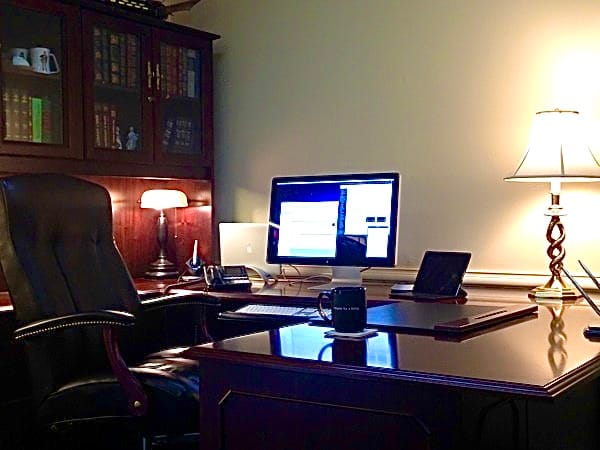
I now function without paper. I will never go back, and I believe that if you give this a try, you will not either.
I am sharing why I went paperless and how I did it, with the hope that you too will discover the increased productivity and reduced stress that come from changing how you work.
To make reading easier and faster, I am presenting this article as a series in three parts:
- Part 1 — Why I Went Paperless: There Had to Be a Better Way (includes my goals)
- Part 2 — How I Went Paperless: What I Use (my hardware and software)
- Part 3 — Workflow: Putting It All Together
Part 1: Why I Went Paperless — There Had to Be a Better Way
I lead a large school on two campuses with 200 employees, nearly 2,000 students, 1,200 families, and a multimillion-dollar budget. I also manage many complex projects simultaneously. As I write this, we are designing a new science and math building, preparing for a large capital campaign, and continuing the rollout of our one-to-one computing program that we call Learning Unleashed. And of course there are the daily operational matters covering personnel, academics and curriculum, parent and student issues, athletics, facilities, admissions, finance, marketing, and a host of other day-to-day concerns.
Adding to the mix are family responsibilities, teaching adult Sunday School, teaching a graduate course as an adjunct professor, conference presentations, and personal goals such as completing a book and writing this blog. I have many balls in the air — thousands of documents, and even more emails (over 1,200 work-related emails per month), phone calls, meetings, and messages to manage.
I was finding it difficult to quickly locate what I needed when I needed it, and even more difficult to manage the combination of paper and digital documents related to projects and day-to-day matters. I knew there had to be a way to consolidate all of this information so that I could be both more productive and less stressed. Going paperless has helped me achieve those goals.
Although increased productivity and reduced stress were my primary goals, many secondary but important goals also motivated the change. Here is the list of goals that explains why I made the move to a paperless office:
- Increase productivity by being able to find any document or message from any device, at any time, in any place.
- Maintain one central inbox for everything I receive so that I can quickly process it.
- Become more efficient by speeding up my workflow.
- Improve the ability to collaborate with colleagues and associates anywhere in the world.
- Ensure automatic backups of all documents, communications, research, and books in the event of hardware failure, fire, or natural catastrophe.
- Take notes in meetings and have them instantly saved, available for retrieval and sharing as needed.
- Convert meeting notes easily into tasks for myself or others.
- Manage people and projects so that nothing falls through the cracks and all work remains on track.
- Manage my calendar and schedule so that it does not manage me.
- Maintain an archive of all documents and communications for future reference, whether for projects or legal matters.
- Reduce the cost of printing, filing, and mailing.
- Eliminate filing cabinets and free up space.
- Reduce paper consumption to be more environmentally responsible.
- Maintain a clutter-free, low-stress workspace.
In Part 2 of this series I will explain how I went paperless and what hardware and software I use.